Salesforce + Jira Integration Isn’t a Sync Problem. It’s an Operating Model Problem.
Enterprises don’t struggle because their tools aren’t connected.
They struggle because their teams aren’t aligned across systems.
When organizations try to connect Salesforce and Jira with basic sync tools, they get:
- Duplicate work
- Broken workflows
- Missing context
- Delayed customer responses
That’s because syncing records ≠ integrating how work actually happens.
This is where zAgileConnect takes a fundamentally different approach.
The zAgileConnect Position: Integration Is About Work, Not Just Data
Most tools:
Move data between Salesforce and Jira
zAgileConnect:
Connects people, workflows, and outcomes across both systems
It’s purpose-built to bridge Customer Support, Sales, and Engineering—not just sync objects.
What Makes zAgileConnect Enterprise-Grade (Not Just Another Connector)
1. True Bi-Directional Integration (With Context)
Basic tools sync fields across applications.
zAgileConnect integrates workflow states, activity, and collaboration in real time.
- Cases ↔ Issues stay aligned continuously and independently
- Updates, comments, and attachments flow both ways
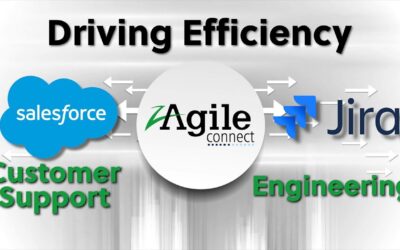
- Engineering sees customer context; support sees engineering progress
- Support & Engineering collaborate towards faster resolution of customer issues
👉 This eliminates the “what’s the status?” gap that plagues most enterprises.
2. Workflows Embedded Where Teams Actually Work
Instead of forcing users to navigate back and forth between Salesforce & Jira:
- Support teams create, edit, and track Jira issues directly inside Salesforce
- Engineering teams see Salesforce case context inside Jira
- Workflow transitions happen across systems independetly, with each system managing its own workflows and processes
👉 This is not integration “between” tools—it’s integration within the user experience.
3. From Escalation to Resolution: End-to-End Process Alignment
zAgileConnect is designed around real enterprise workflows:
- Escalate customer issues from Salesforce → Jira
- Triage, prioritize, and resolve in engineering
- Sync progress back to customer-facing teams in real time
- Maintain SLA visibility and accountability
This eliminates manual handoffs and ensures continuous alignment across the lifecycle.
4. Built for Enterprise Complexity (Where Sync Tools Break)
Most integration tools fail when things get real:
- Multiple Salesforce orgs
- Multiple Jira instances
- Many-to-many relationships
- Custom objects and workflows
zAgileConnect handles all of it:
- Many-to-many Salesforce–Issue relationships
- Multi-Salesforce org and multi-Jira instance environments
- Standard and Custom object support beyond Cases
- High-volume, mission-critical scalability
👉 This is where enterprises outgrow “lightweight connectors.”
5. Automation That Reflects Business Logic
With zAgileConnect, integration becomes process automation:
- Trigger Jira actions from Salesforce workflows
- Auto-create issues based on case criteria
- Route work dynamically based on priority or product area
- Standardize escalation processes across teams
👉 This turns integration into a repeatable operating system, not just a pipeline.
6. Governance, Reliability, and Control
Enterprise integration isn’t optional infrastructure—it’s mission-critical.
zAgileConnect includes:
- Secure authentication and controlled permissions
- Monitoring and error handling
- Reliable, real-time synchronization
- Enterprise-grade performance at scale
Why Enterprises Choose zAgileConnect Over “Sync Tools”
| Capability | Basic Sync Tools | zAgileConnect |
|---|---|---|
| Data Sync | ✅ | ✅ |
| Workflow Integration | ❌ | ✅ |
| Embedded Experience | ❌ | ✅ |
| Real-Time Visibility | ⚠️ Limited | ✅ |
| Enterprise Complexity | ⚠️ Fragile | ✅ |
| Cross-Team Collaboration | ❌ | ✅ |
The key difference:
Sync tools connect systems.
zAgileConnect connects how your business runs across them.
What “Good” Looks Like with zAgileConnect
When implemented correctly, enterprises achieve:
- Faster case resolution and improved SLA performance
- Full visibility from customer issue → engineering fix
- Reduced manual work and system switching
- Stronger alignment between customer-facing and product teams
- Improved customer satisfaction and retention
Final Take: Integration as a Strategic Capability
If you’re evaluating Salesforce–Jira integration, don’t ask:
“Can this tool sync data?”
Ask:
“Can this platform align how our teams actually work?”
Because at enterprise scale, integration is no longer an IT decision.
It’s a customer experience strategy.
And that’s exactly where zAgileConnect is positioned to lead.